
Apple Magic Mouse 2 Review

Apple Magic Mouse 2 Review
Hello everyone, in this post I will tell you about Apple's mouse called Magic Mouse 2.
The DPI rate of the Magic Mouse is around 1300, which I can say is quite sufficient for daily tasks. Since I had used a gamer mouse for a long time before this one, it felt a bit slow until I got used to it. But after getting used to it, you can see that it's actually quite adequate for daily tasks.
The thing I feared the most before buying the Magic Mouse was the lack of a scroll wheel. I thought I'd have trouble in some programs I use due to the absence of a scroll wheel. Especially I was suspicious about programs like Blender and Unity, which I use very frequently throughout the day, but despite not having a scroll wheel, I did not experience any major problems.
With the shortcuts and features you can assign instead of a scroll wheel, you hardly notice its absence. In fact, thanks to the features you can add, you can actually use these programs much more effectively compared to a regular mouse.
Since I use a Mac daily, I can say this mouse works very well on Mac, but I cannot comment on Windows as I haven't tried it there. If you're someone used to using a touchpad on a Mac, you can use all the gestures you can do on a touchpad with this mouse, and in addition, since you can also use it as a regular mouse, if you're like me—someone who normally doesn't like to use a mouse for daily tasks on a laptop but uses one because it speeds things up—then I can say this mouse is perfect for you. Just think, you can use it as a mouse and also benefit from features that are on a touchpad, making things more convenient in many cases.
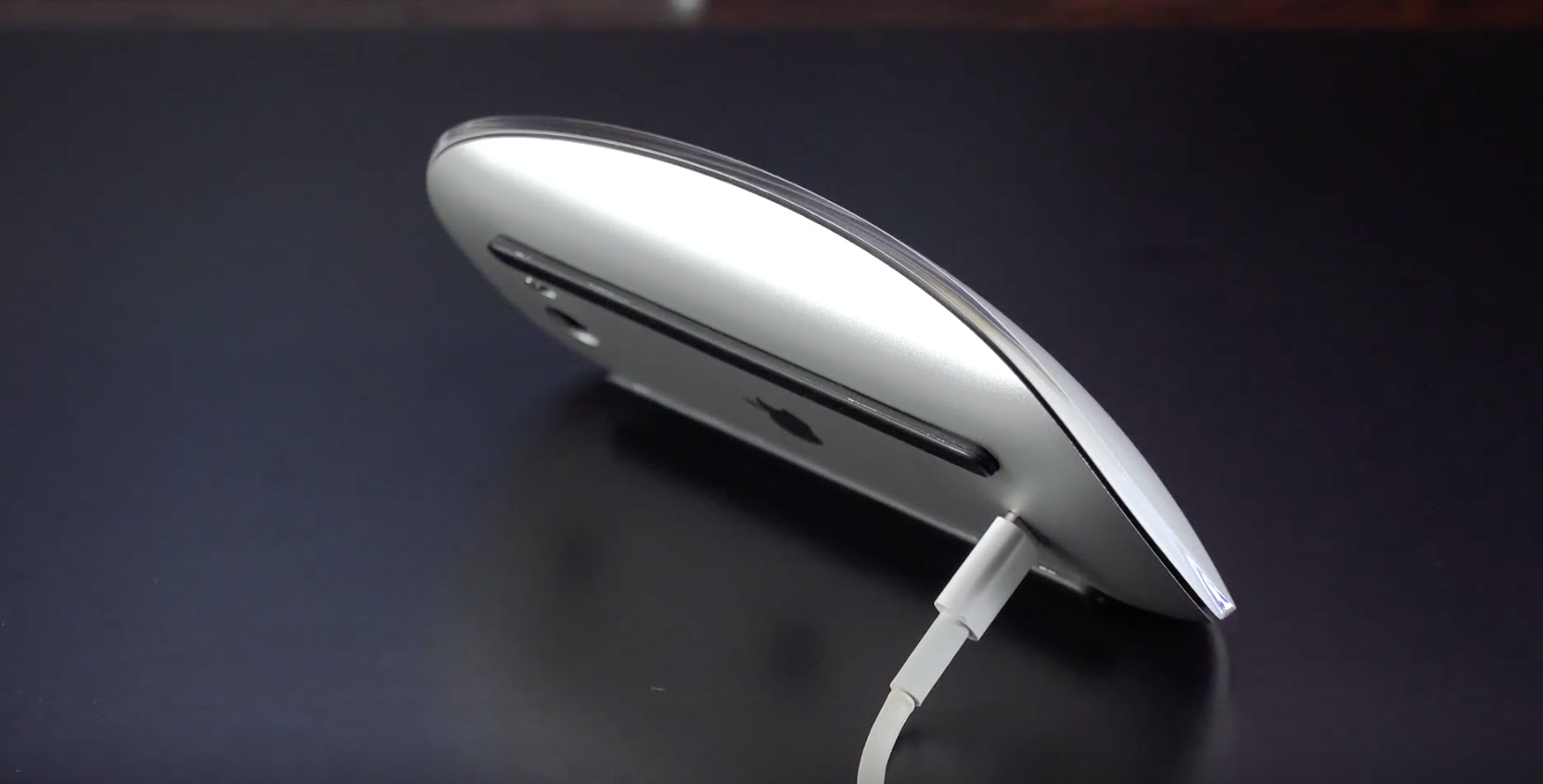
By the way, the mouse’s full charge time is 2 hours, and it is said that after a full 2-hour charge, it can last up to 2 months. However, having the charging port at the bottom of the mouse is not a good design at all. Even though it is a mouse that can save your day—or even days—with an average of 2 minutes of charging, not being able to use it while charging, especially when the battery is low and you have an urgent task, can be very inefficient.
Still, I can say that it has stolen my heart thanks to its beautiful and simple design, and I can ignore the position of the charging socket.
The charging cable comes out of the box when you buy the mouse, and in fact, it uses the same charging cable/socket as the one used in iPhones.
Note: The Magic Mouse 2 can also be used with current iPhone and iPad devices.
Yorum Gönder