
Fetching Images from the Internet in Unity

Fetching Images from the Internet in Unity
Hello friends, in this article I will explain to you how we can add any image we fetch from the internet to the Image component in Unity. Happy reading.
Understanding the Logic
We can fetch data from the internet as a Texture, and then convert this texture data into a Sprite and add it to the image component in Unity during the game. Let's get to our code.
Codes for Fetching Images from the Internet
using System.Collections;
using System.Collections.Generic;
using UnityEngine;
using UnityEngine.Networking;
using UnityEngine.UI;
public class InternettenGorselCekme : MonoBehaviour
{
    [SerializeField] string gorselURL = ""; // string needed for us to enter the image's link

    IEnumerator GorselCek(string gorselURL)
    {
        if (Application.internetReachability == NetworkReachability.NotReachable) // Here we check if there is internet.
        {
            Destroy(this.gameObject); // if there is no internet we delete our Image component
        }
        else
        {
            var www = new WWW(gorselURL); // we download the image.
            Debug.Log("Image download started...");
            yield return www; // we download the image..
            if (string.IsNullOrEmpty(www.text)) // if the image was not fetched and is empty
            {
                Debug.Log("An issue was encountered while downloading the image!"); // we give debug and print the error.
            }
            else
            {
                Debug.Log("Image download successful."); // if successfully fetched we print success debug
                Texture2D texture = new Texture2D(1, 1); // we create a texture
                www.LoadImageIntoTexture(texture); // we save the data fetched from the internet to the texture
                Sprite gorsel = Sprite.Create(texture, new Rect(0, 0, texture.width, texture.height), Vector2.one / 2); // we create a new sprite and assign our texture to the sprite
                this.GetComponent().sprite = gorsel; // we assign our sprite to our image and make it visible

            }
        }
    }

    private void Start()
    {
        StartCoroutine(GorselCek(gorselURL)); // we call our function to fetch the image from the internet
    }
}
I explained everything here together with the codes but if you have any questions, you can ask them in the comments section below.

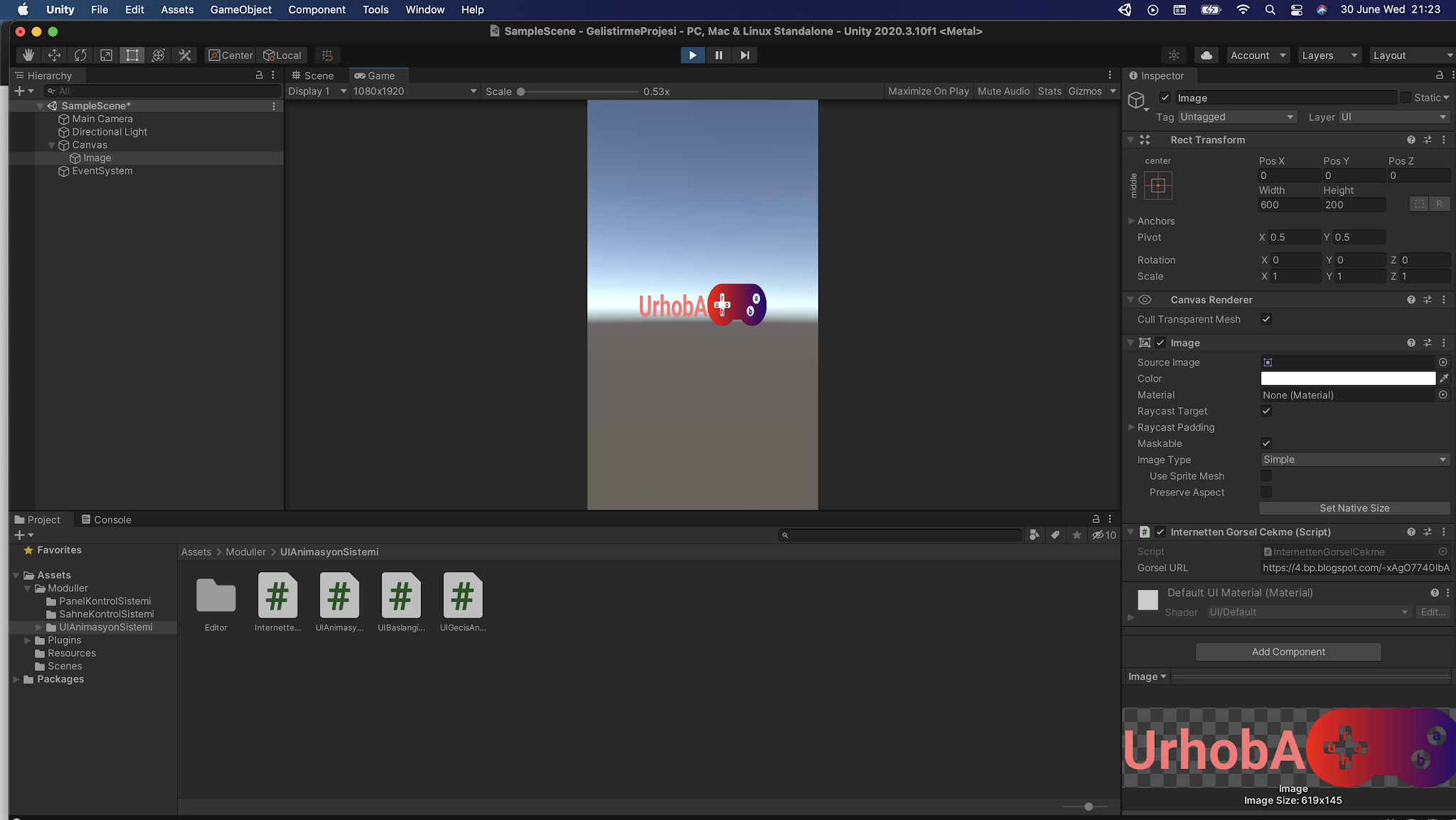
Note: If you want the component's size to automatically scale according to the fetched image, you can use the code below.
this.GetComponent().sizeDelta = new Vector2(texture.width, texture.height);
Yorum Gönder