
Processing Output Generation (Build Generation)

Processing Output Generation (Build Generation)
Hello friends, in our previous article, we made a Flappy Bird game with Processing, and now I will explain how you can play this game without Processing—that is, how to export (build) your game. Happy reading.
When you go to the "File > Export Application" part in our Processing project, it asks us how we want to export.

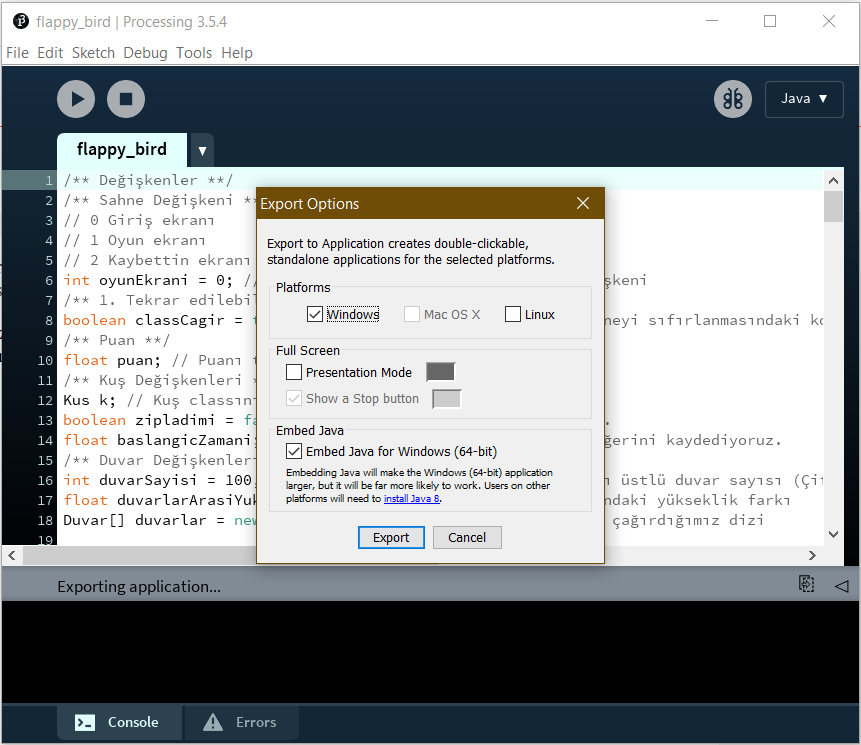


You can get the output for Windows, Linux, and Mac as above, and if you want to get output for Android,

You need to go to the Java part, click "Add Mod", and download the "Android" mode.
After that, by performing the same actions as on Windows, you can get the Android output.

Note: When you connect your phone, you can switch to debug mode and test the application.
Note2: Currently, Processing uses SDK 28 for Android and it already notifies you when installing the Android Mode, make sure you install the correct SDK.
Yorum Gönder