
Creating a Desktop Shortcut for Store Apps in Windows 10

Hello friends, in this article I will explain how you can put shortcuts of the apps you downloaded from the store to the desktop in Windows 10.
Creating a Desktop Shortcut for Store Apps in Windows 10
First, we simultaneously press the "Windows + R" buttons to open "Run", and then type
"shell:AppsFolder" into the search box. This opens a folder where shortcuts to the applications are located. From there, we select the store application we want and when we drag it to the desktop, the shortcut will now be on the desktop.

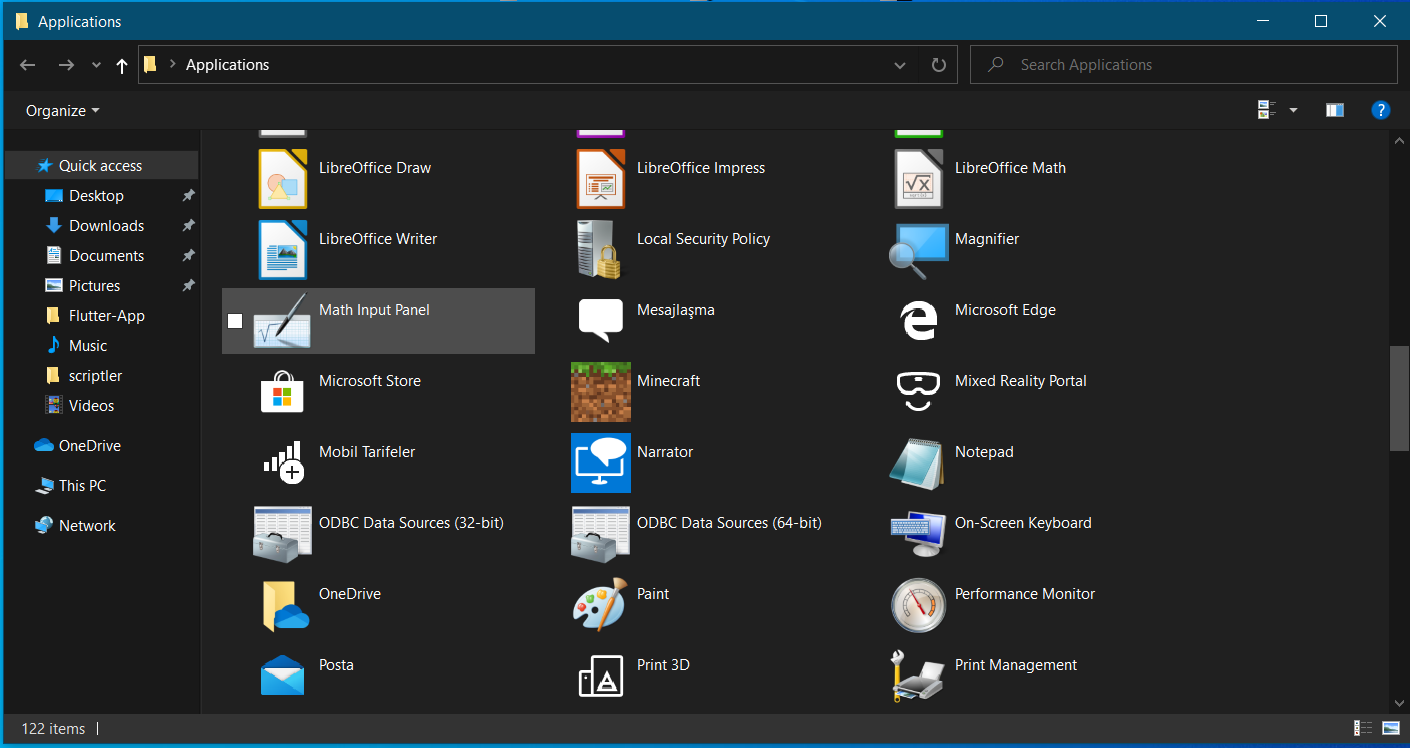

As you can see in the images, we added the "Windows App Store" shortcut to the desktop very easily.
Yorum Gönder