
UIPath Web Form Filling

UIPath Web Form Filling
Hello friends, in this article I will explain how you can fill forms on websites using UIPath.Step 1 First, create a new process

Step 2 Assign a name to your process, for example, I named it web form filling


Step 4 Drag and drop 1 "Sequence" into the center.

Step 5 Drag and drop 1 "Open Browser" into the Sequence.

Step 6 After dragging Open Browser, we enter which browser and which site to open. You need to write the site to be opened within quotes "www.urhoba.blogspot.com"

Step 7 In the Browser's Do section, drag as many "Anchor Base" as there are input fields to be filled.
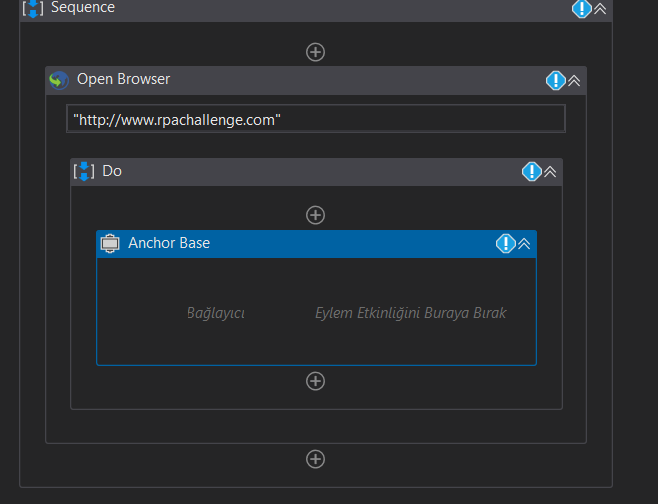
Step 8 Inside Anchor Base, place "Find Element" on the left and "Type Into" on the right.
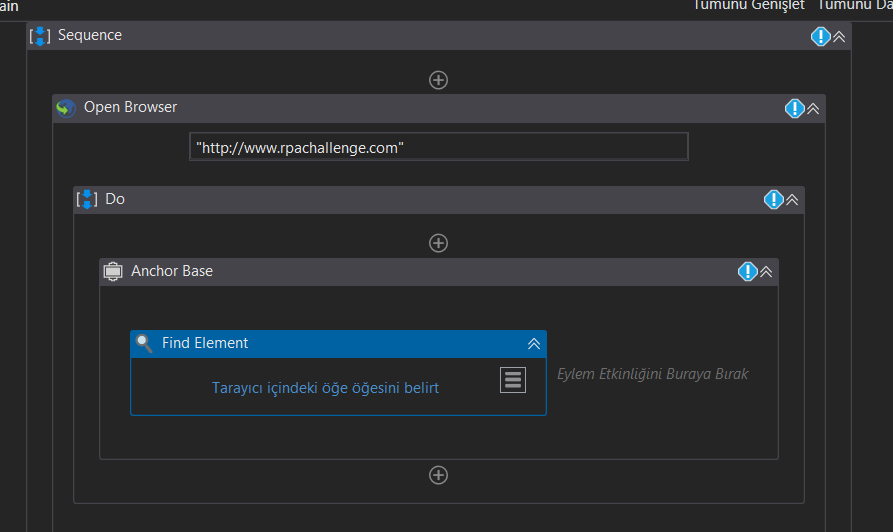

Inside Anchor Base should look like this
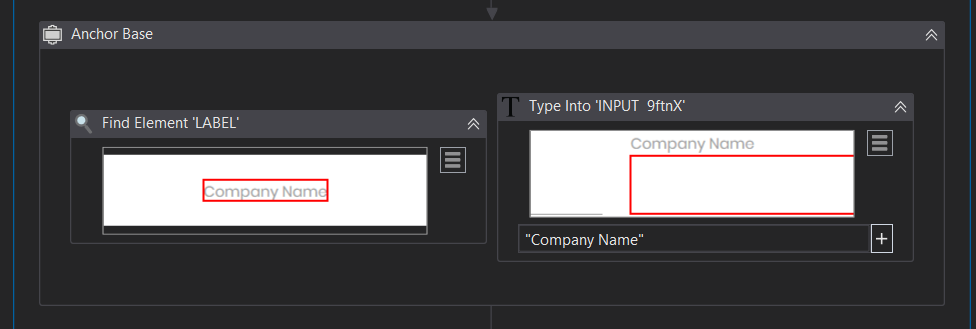
Step 9 We create the button part necessary to submit the form.

If you have completed these 9 steps without any issues, you will have created a robot that can fill out forms on websites with UIPath.
You can create a system that automatically creates accounts on sites, or you can obtain a program that logs in users.
To download and review the sample project I made while explaining in the article, click here.
Yorum Gönder