
What is MyBB? Detailed MyBB Forum Installation

What is MyBB?
MyBB, which stands for My Bulletin Board, is a web forum platform script developed with PHP.
The biggest feature that distinguishes it from other forum scripts is that it is completely free and has significantly more plugin support compared to many other free forum applications.
With a very large community of developers and supporters, MyBB provides infrastructure to many forum sites today.
There are many free and paid themes available on the internet, and for users who know even a little CSS and XHTML, creating themes is not very difficult.
Thanks to the Merge system introduced with MyBB 1.8, you can easily transition from many paid and free forum structures to MyBB without data loss.
Detailed MyBB Forum Installation
First, create a Database (I created a database named Forum)

Give a name to the database you created and set it as UTF-8 Bin.

If you do not set the database you create as utf-8 bin, you may experience issues with Turkish characters or other foreign characters.
Now click here and go to the MyBB download page, download the latest version of MyBB and upload the contents of the "Uploads" folder inside the file you downloaded to your server.

Now that we have uploaded the files, let's log in to our domain and start the installation.

First, we are greeted by a welcome screen, here it is enough to click the "Next" button.

It gives information about the terms of use, again we click on the "Next" button here.

Here, it gives information about your server and whether it meets the system requirements. If it does not, the green texts turn red. It is enough to click the "Next" button.

Here, it asks us to enter our database information, after entering your database link and user information, simply click the "Next" button.

Here, it shows which data is added to the database, that is, the tables being created.
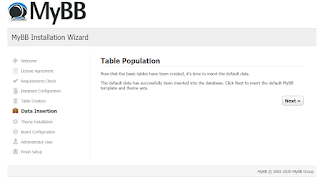
It is enough to click the "Next" button.
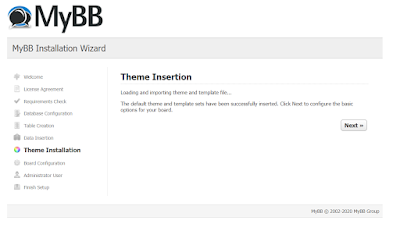
For now, we do not do anything on this screen, just say "Next" and continue.
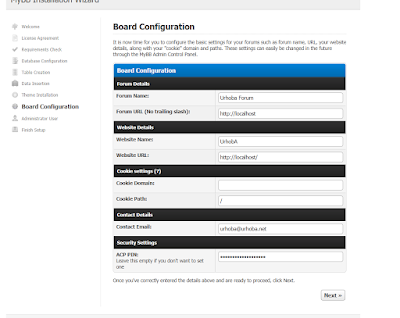
This is an important area, here we enter the forum information. You need to enter information such as the forum link, the forum name, and the email address the forum will use. The area at the bottom will be the password you will use to modify critical information about your forum.
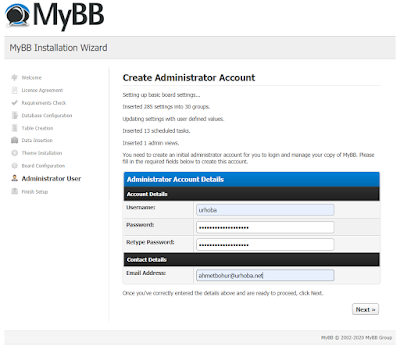
We create an admin account for the forum and enter the admin account's email address.

This screen indicates that the installation is complete and the installation file is locked, if you want to reinstall, it says to delete the "lock" file inside the install folder that you uploaded to the server.
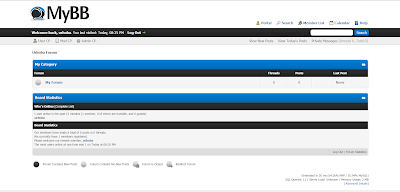
This is a screenshot from the forum we installed.
Yorum Gönder